HP All-In Plan FAQs
Looking for answers? See below for everything you need to know about
the HP All-In Plan.
See all FAQs
The HP All-In Plan is an all-inclusive printing subscription that delivers the ultimate in convenience—and provides the dedicated support you need to keep your printer running like new. When you sign up, you get a new printer, automatic ink delivery before you ever run out, and continuous printer coverage with expedited 24/7 Pro live support. And if you have a printer issue we can't solve on the phone, we’ll send you a replacement, next business day, at no additional cost. All this for one low monthly payment.
With the HP All-In Plan, you don’t have to worry about finding the right printer, running out of ink, or troubleshooting issues you may have with your printer. The HP All-In Plan is an all-inclusive service that ensures you have the printer, ink, and support you need to keep things working, and if they don’t, we’ll send you a new printer the next-business-day. You can also try it with no upfront costs or commitments, risk-free.
Yes, you can try the HP All-In Plan risk-free for 30 days with no upfront costs or commitments. Simply send back the used printer and ink supplies with a prepaid shipping label within 10 days to avoid cancellation fees.
If the printer and ink supplies are not returned within 10 days of cancelling, you will be charged a cancellation fee, depending on the printer model in your plan.
The printer detects when it’s low on ink and automatically sends more right to your door, before you ever run out. With the HP All-In Plan, you won’t have to make any last-minute trips to the store or remember to buy ink supplies.
When you are finished with your All-In Plan or would like to upgrade to a new printer, simply send us back the used printer with the HP provided prepaid shipping label. You have the option to upgrade to a new printer any time after two years—three years for Smart Tank printers—without a cancelation fee. If you don’t want to upgrade, you can always continue with your current printer—it’s your choice.
Our 24/7 Pro live support team is ready to help you with any issues you might have with your printer. As long as your HP All-In Plan remains active, your printer is covered. Our HP technicians know the ins-and-outs of your HP All-In Plan printer and can help troubleshoot and repair issues. For any issue that we can’t resolve over the phone, or on-line chat, we’ll send you a replacement printer as soon as the next business day, as well as cover any return shipping costs for the printer.
How your plan works
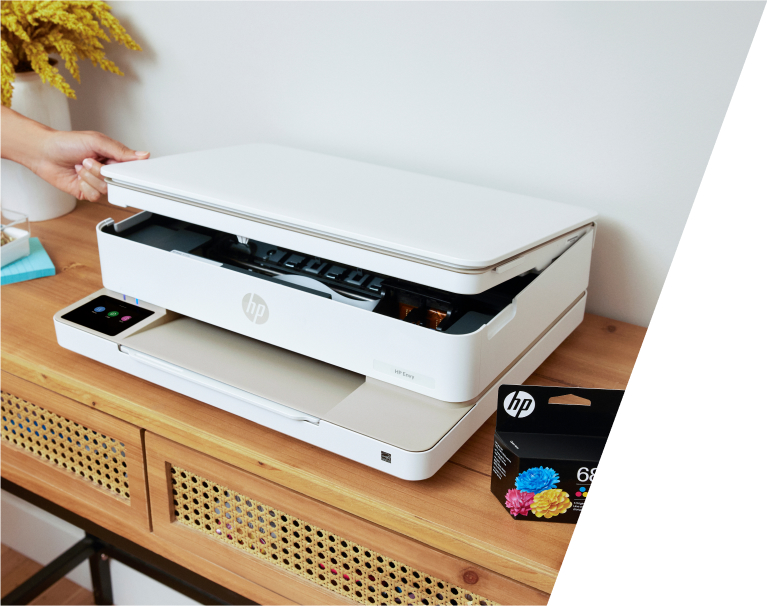
Choose the printer that’s right for you with all the ink you need, included.
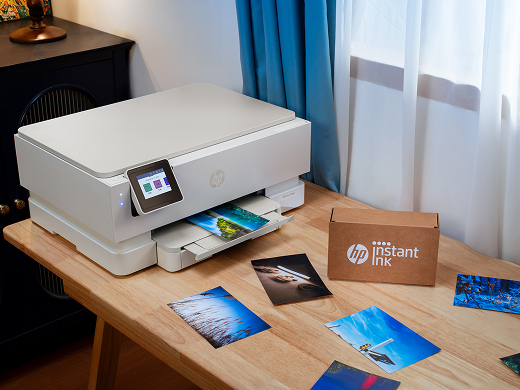
Try risk-free for 30 days, no upfront fees.

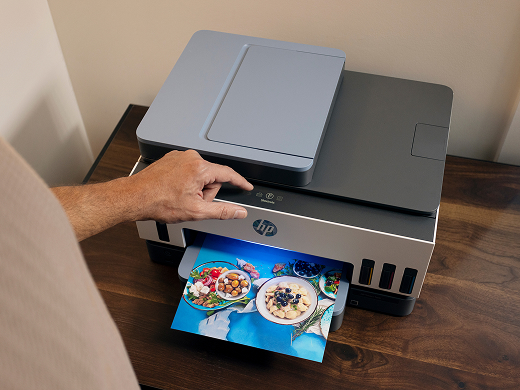
Experience continuous coverage with expedited 24/7 Pro live support.
FAQs
About the plan
The HP All-In Plan is an all-inclusive monthly printing subscription that takes the hassle out of printing by bundling everything you need into one low monthly payment. The subscription includes a brand-new printer, automatic ink delivery, and optional paper delivery, backed by 24/7 support and next-business-day printer replacement if something goes wrong. Best of all, you can try it risk-free for 30 days with no upfront costs or commitments.1
The HP All-In Plan can be well worth the monthly fee for those who want to simplify their printing without sacrificing quality or predictability. With comprehensive customer service and upgrades, these flexible, all-inclusive printer plans work best for hybrid or remote work, people who want the most up-to-date tech, and busy families.
Traditionally, buying a printer involves upfront costs for the printer, ink, paper, and warranty. With the HP All-In Plan, everything is included: printer, ink, optional automatic paper delivery, and 24/7 support. No hidden costs or fees— just one low monthly payment. Cancel risk-free within the first 30 days if it's not for you.
- Your choice of a new HP printer from our most trusted models
- Automatic ink delivery and optional paper delivery, so you never run out2 3
- Dedicated 24/7 support from a team of experts dedicated to your plan4
- Next-business-day printer replacement, if needed6
- Get a new printer after two years (three years for HP Smart Tank) or stay with the one you have.
You can choose one of the following printers below for your print plan:
- HP Envy 6110r: From high-quality documents to borderless photos, the Envy printer is perfect for the whole family.
- HP Envy Photo 7260r: From stunning borderless photos to sharp documents, the Envy Photo printer brings your creativity and work to life.
- HP Smart Tank 6001r: Experience seamless printing for the entire family — from setup to final page. Whether it’s homework, photos or everyday documents, your printing is covered from day one
- HP OfficeJet Pro 9120r: From a high-quality presentation to scanning plenty of documents, the OfficeJet Pro makes it easy to get more done.
- HP Smart Tank 7602r: From creating crisp documents or frame-worthy, borderless photos, you'll get consistent results and vivid colors no matter how much you print.
Click here to learn more about the printers in the All-In Plan.
Both are a type of inkjet printer.
The ink cartridge printers use small containers, or cartridges, filled with ink. Ink cartridge printers are best for small to medium-sized print jobs, especially if you print infrequently.
The ink tank printers use built-in ink reservoirs instead of disposable cartridges. The reservoirs are refillable, with ink from a bottle. Ink tanks can hold a lot more ink than a cartridge can, and they can be easily refilled as needed.
Currently you can only select one printer with your HP All-In Plan. If you feel like you need to change your printer, you can do that on the HP dashboard.
The HP All-In Plan goes beyond what most leasing and rental options offer. With automatic ink and optional paper delivery, no high upfront costs, 24/7 support, and the flexibility to adjust your plan as your printing needs change, it's a smarter alternative to traditional printer agreements.3
Click here to learn more about printers with the HP All-In Plan.
No, the HP All-In Plan is only available with printers offered as part of the plan. If you are looking for automatic ink and paper delivery, click here.
Yes, you can try the HP All-In Plan risk-free for 30 days with no upfront costs or commitments.5
If you choose to cancel during the trial period, simply send back the used printer and ink supplies with a prepaid shipping label within 10 days to avoid an unreturned printer fee:
Unreturned printer fee
HP Envy 6110r
$120
HP Envy Photo 7260r
$180
HP Smart Tank 6001r
$255
HP Smart Tank 7602r
$345
You can cancel your HP All-In Plan at any time by visiting your HP dashboard or contacting 24/7 support at 1-888-447-0148. Upon cancellation, your ability to print will end, and you will need to return your printer and ink supplies to HP1. If you cancel after the 30-day trial period and within the first two years (three years for HP Smart Tank printers), an early cancellation fee will apply:
After 30 days and up to 12 months
After 12 months and up to 24 months
After 24 months and up to 36 months
After 36 months
HP Envy 6110r
$120
$60
$0
$0
HP Envy Photo 7260r
$180
$90
$0
$0
HP Smart Tank 6001r
$255
$170
$85
$0
HP Smart Tank 7602r
$345
$230
$115
$0
Early cancellation fees listed are calculated from the time your subscription starts. Fee amount may be lower if required by applicable state law.
You can pay the HP All-In Plan cancellation fees online by navigating to your HP account dashboard and selecting “HP All-In Print Plan” from the menu. Click “Overview” to view your current monthly charges. If you have any questions regarding your cancellation fees, contact us at 1-888-447-0148 or chat with us online.
No, you cannot use your HP All-In Plan printer and ink cartridges after canceling. Within 10 days of canceling your HP All-In Plan, you must return your used HP printer and ink supplies to avoid incurring an unreturned printer fee.
After cancellation, charges may still appear on your account if you did not return the used printer and remaining ink within 10 days after cancellation, or you canceled your account after your 30-day trial ended and prior to two years from your initial purchase date. If you did not pay for your last shipment of ink and paper (if applicable) before canceling, those charges may also appear after you cancel.
How the plan works
Your printer automatically detects when ink is running low and delivers more straight to your door before you ever run out.
You can easily adjust your monthly plan by choosing how much you would like to print from your HP Account page. The new plan takes effect at the next billing cycle, and you can change your plan as often as you like.
No, with our automatic ink delivery, your printer will detect when you are running low on ink and more ink will be sent directly to your door before you ever run out.
The standard HP All-In Plan does not include paper, but you can add the optional Paper Add-on service. With this service your printer keeps track of how much paper you've used and signals HP to send you more before you run out.
You can easily remove your optional Paper Add-on service at any time through your HP Account page. However, once the optional Paper Add-on service has been removed from your plan, you will not be able to re-add it later.
You keep and roll over any unused pages at the end of each month. Your unused pages will appear in your account as rollover pages. You can continue to roll over up to three times the number of pages in your monthly plan (for example, you can roll over up to 300 pages if you are enrolled in a 100-page plan). Any rollover pages in your account would offset pages printed that exceed your monthly allowance in later months.
If you exceed the number of pages in your plan in any given month and you haven’t accumulated enough rollover pages, you can continue printing without interruption and additional sets of pages will be automatically added to your monthly invoice.
As long as the printer is connected to the internet, you’ll get an email from us reminding you when you are close to printing all the pages in your plan.
Simply log in to your HP Account page. Here you'll be able to see how many pages you've printed during the month and any rollover pages available for you to use, plus your next billing date.
Yes, all pages cost the same with the HP All-In Plan. Print full-color documents, vivid photos, or black and white text without a worry. No matter what you print, adding color does not add cost to your monthly payment.
Yes. After signing into your HP account, simply request a prepaid return envelope for any used HP Ink cartridges, and we'll take care of the rest. All returned cartridges will be recycled.
To set up your printer, you'll need to download the HP app on a smartphone, tablet, or computer running one of the following operating systems:
- Windows
- macOS
- iOS
- Android
Linux is not currently supported by the HP App (Click here for a complete list of OS requirements).
Yes, your new printer is a smart device that requires an internet connection to receive service, including automatic ink delivery. You can use Wi-Fi or, for printers that support Ethernet, a wired network connection. The easy setup instructions will guide you through the connection process.
Connect your new best-in-class HP printer to Wi-Fi using the included, straightforward setup instructions. You can also download the required HP App software necessary for printer setup and functionality. If you have problems connecting your new HP All-In Plan printer to Wi-Fi, call 24/7 customer support at 1-888-447-0148.
The optional Paper Add-on Service is based on the number of pages you print just like your HP All-In Plan.
Once you sign up for the optional automatic paper delivery service, you don't have to worry about running out of paper (as long as you only use your paper for printing purposes). Your printer will track your pages printed, so we can automatically send you more paper when you're running low and before you need it. HP only tracks pages printed through the HP All-In Plan printer subscribed to this service. You are responsible for purchasing additional paper to use for any purpose other than printing with your subscribed printer.
Note: The optional Paper Add-on Service is not available to ship to Alaska, Hawaii, US territories, military bases, or PO Box addresses.
We only offer our premium-quality, 8.5x11, 20lb 96 Bright HP Paper that's optimized for HP printers and original HP inks and engineered for versatility to support a wide range of everyday printing.
Yes, it is certified by the Forest Stewardship Council® (FSC®) which means that we only source the paper from responsibly managed forests to guarantee healthy growth for future generations.
Yes, you can easily remove your paper add-on service at any time through your HP Account page. However, please note that once the optional Paper Add-on service has been removed from your plan, you will not be able to re-add it later.
Upgrades
After two years (three years with HP Smart Tank printers), you can upgrade to one of HP’s latest models without paying a cancellation fee. Simply choose your new printer, and we’ll deliver it within 2 business days. Once your new printer is set up, use the prepaid shipping label to return your old one.
If you prefer not to upgrade, you can keep your current printer and continue your plan as usual.
Yes. You can try an upgraded printer model for 30 days with no upfront costs. If you decide to cancel your upgrade within 30 days, return your upgrade printer (a return fee may apply). If you do not return the upgrade printer within 10 days of cancellation, you will be charged an unreturned printer fee.
Yes. You can cancel your HP All-In Plan at any time (including after upgrading) through the HP dashboard or by contacting 24/7 support at 1-888-447-0148.
Please note:
- Cancelling your upgrade will end your HP All-In Plan subscription and your ability to print.
- You won’t be able to restart your previous subscription.
- You’ll need to return the printer and ink supplies to HP using the prepaid labels we provide.
- A cancellation fee applies if you cancel after the first 30 days and within the first two years (three years for HP Smart Tank printers):
After 30 days and up to 12 months
After 12 months and up to 24 months
After 24 months and up to 36 months
After 36 months
HP Envy 6110r
$120
$60
$0
$0
HP Envy Photo 7260r
$180
$90
$0
$0
HP Smart Tank 6001r
$255
$170
$85
$0
HP OfficeJet Pro 9120r
$270
$135
$0
$0
HP Smart Tank 7602r
$345
$230
$115
$0
Early cancellation fees listed are calculated from the time your subscription starts. Fee amount may be lower if required by applicable state law.
No. Upgrading is a choice. If you don’t want to upgrade, you can always keep your current printer and continue your plan as is.
No. Once you have surpassed two years on your All-In Plan (three years for Smart Tank printers) you can upgrade at any time if your account is in good standing.
Yes. You must return your existing printer using the prepaid shipping label provided by HP - even if you later cancel your upgrade.
Yes. You can choose from one of HP’s latest printer models.
No. To keep it simple, when you upgrade, your ink and paper plan will automatically be updated to the closest matching plan for your new printer. If you'd like to change your plan, you can do so anytime - before or after upgrading - from your HP Account page.
We aim to deliver your upgraded HP All-In Plan printer within 2 business days after your order is placed (if submitted before 2:30 PM ET, Monday-Friday). Shipping times may vary.
Continue to use your current printer until your new printer arrives and is set up. Once your upgrade is placed, ink and paper will only be replaced on the new printer, so set it up promptly to continue enjoying your subscription benefits.
Yes, your monthly fee may change depending on the printer you choose during the upgrade.
Getting help
The HP All-In Plan includes 24/7 support by phone or chat. If we're unable to resolve the issue remotely, we'll send you a replacement printer as soon as the next business day at no additional cost.6
You can connect with 24/7 support at 1-888-447-0148 or you can access chat assistance from here. You'll also have access to self-service tools on your HP Account page for things like changing plans, viewing your usage, or accessing support materials.
The HP All-In Plan 24/7 support team can help with printer issues via phone or online chat. Our experts provide ongoing support while you are subscribed to the HP All-In Plan and are dedicated to addressing your needs with quick troubleshooting assistance. If we are unable to resolve your issue over the phone, we’ll ship you a new printer directly at no additional cost so you can keep printing.6
Plan enrollment
To enroll in the HP All-In Plan, you will select a new printer and a plan based on how much you would like to print monthly and enter billing and shipping information. You'll pay nothing for the first 30 days. Your monthly payment is automatically charged to your credit or debit card at the end of each month.
Our goal is to deliver your new HP All-In Plan printer within two business days (if ordered before 2:30 PM Eastern Time M-F). Shipping times may vary.
Our enrollment support team is available by phone (1-888-447-0148) or chat and is equipped to answer any questions you may have.
The user of the printer needs to be associated with the HP account used during enrollment. The HP account will be specific to that user including payment for the device.
Right now, the HP All-In Plan is only available in the fifty United States. US territories and other countries are not currently supported.
While the HP All-In Plan does not currently offer discounts, it incorporates several features that students likely find helpful and convenient. For example, you can select a brand-new printer, receive automatic ink and optional paper deliveries before you run out, and enjoy 24/7 support.
The limit is currently one HP All-in Plan per HP account.
Still have questions?
Call us anytime, day or night, and connect to a real, live person.
1-888-447-0148

Disclaimers
1.
HP All-In Plan for Print includes select printers and services paid for with a monthly fee charged to your credit or your debit card. HP owns the printer, printer cartridges and ink bottles throughout the subscription, and they must be returned to HP upon printer upgrade or cancellation. For complete details see HP All-In Plan Terms of Service. Your Plan and monthly payments, plus any applicable taxes, will automatically renew and continue unless you cancel. Your payment amount is determined by the Plan you select. If you cancel your Plan within 30 days of enrolling and return the printer within 10 days of cancellation, you will not owe anything. Any charge made to your payment method will be fully refunded. You will be emailed a prepaid return label for the Printer, and cartridge(s) and ink bottles. You may modify your services or cancel your Plan at any time by visiting MyAccount and clicking Cancel or by calling 1-888-447-0148. Early cancellation fees will apply if you cancel after the first 30 days and during the first and second year of your Plan based on the printer you select. After the 24-month term (for ink cartridge printers) and after 36 months (for HP Smart Tank printers), you may cancel anytime without a cancellation fee. Individual print services cannot be cancelled independent of canceling the All-In Plan for Print except for paper which may be modified or cancelled independently. After the 24 or 36 month term, you may continue your plan with your original printer by continuing to pay the monthly fee. You are also eligible to upgrade your printer after the 24 or 36 month term. If and when you upgrade, your monthly fee may change based on printer model and current prices, and the cancellation fee cycle starts anew, with the cancellation.
2.
Based on plan usage, ongoing internet connection to eligible HP All-In Plan printer, valid payment method, email address, and delivery service in your geographic area.
3.
Based on plan usage, Internet connection to eligible HP printer, valid credit/debit card, email address, and delivery service in your geographic area. Paper Add-On is only available in the continental U.S. excluding Alaska, Hawaii, U.S. territories, military bases and P.O. box addresses. Paper can be individually removed from your HP All-In plan at any time. HP only monitors pages printed through your HP All-In Plan printer subscribed to this Paper Add-on Service. The paper we send should only be used for printing purposes in this subscribed printer. If you use the paper we send for any other purpose other than printing in your subscribed printer, you run the risk of running out of paper without HP knowing.
4.
For printer support, call 1-888-447-0148. See 24/7 Pro live support data sheet for complete details.
5.
30 Day Risk-Free Period: To avoid monthly fees and the early termination fee applicable to your All-In Plan for printers, simply cancel within the first 30 days by clicking MyAccount and clicking “Cancel” or call 1-888-447-0148. You will be emailed a prepaid return label for your printer and cartridges (ink bottles for HP Smart Tank). Your printer and printer cartridge must be returned within 10 days of cancellation to avoid the early cancellation fee applicable for your Plan. You may be charged for the first month if you cancel near the end of the first 30 days, but your payment will be fully refunded. An authorization hold may apply for 3-5 days depending on your bank. Third-party digital codes that are redeemed are non-refundable by HP.
6.
HP All-In Plan for printers include next-business-day replacement for warranty issues. Accidental damage is not included. Service levels and response times may vary depending on your geographic location. Restrictions and limitations apply. See next business day replacement data sheet.